



The right tools set up for your team, the busywork automated, your staff trained to use it safely.

Most businesses come at AI from the wrong end. They start with a tool somebody read about and go looking for a use for it. That order reliably produces a few subscriptions nobody opens, one enthusiastic employee doing something clever in isolation, and a nagging sense of having fallen behind.
We start from the work. Which tasks are eating your team's week, which of those a machine genuinely handles well, and which still need a person's judgement. Some of what your business does should not be automated, and we would rather tell you that than sell you something.
You may have staff already pasting company information into free AI tools without telling anyone, or a process that takes three people two days every month that clearly should not. Both are common, and both are easier to deal with once someone has looked at them properly rather than banning or ignoring the whole subject.

We look at the tasks your team actually repeats before we look at any product. The best early candidates are usually dull, high volume and low risk, which is also why nobody has thought to mention them.

AI tools are a new place for your data to leak. We set up accounts your business controls, with clear rules about what may be put into them, so useful work does not quietly become an exposure problem.

A tool nobody understands gets used once. We train your team on the specific jobs they do, including where these tools are confidently wrong and how to notice.
Three illustrative workflow examples showing how practical AI can fit inside a Long Island professional firm, shown as before and after. These describe typical workflows, not measured results from a specific client.
Before
Staff spend hours every day sorting client emails, drafting routine replies, and manually tracking who still needs a follow up.
After
AI drafts context aware replies in your firm's voice inside Microsoft 365 and flags unanswered client threads automatically, with a human checkpoint before anything is sent.
Practical Impact: Eliminates manual inbox sorting and dropped client follow ups while keeping a human checkpoint before any reply is sent.
Before
Prospect notes, call takeaways, and next steps sit trapped in email threads or handwritten notes instead of your CRM or tracker.
After
AI summarizes discovery calls and emails into structured action items, logs follow up tasks, and highlights deals or client renewals that need attention.
Practical Impact: Replaces manual post call note entry with structured action items and keeps every prospect conversation and renewal moving forward.
Before
Paralegals, accountants, and operations staff manually read PDFs, contracts, tax organizers, and invoices to copy key dates and figures into spreadsheets or line of business software.
After
Business owned Claude, Grokbot, and ChatGPT workspaces extract structured tables, summarize 50 page documents in seconds, and organize files under strict private data guardrails so client data never trains public models.
Practical Impact: Replaces hours of manual copy and paste from lengthy PDFs, contracts, and tax organizers with a fast human verification step inside private, business owned AI workspaces.
Five stages, in this order, because skipping to the tools is what goes wrong.

Start with the work, not the software.
Before recommending anything, we sit with your team and find out where the week actually goes. Which reports get rebuilt by hand every month, which emails get written from scratch for the fortieth time, which information lives in one person's head and stops the business when they take a holiday. That conversation is usually more revealing than anything a tool demonstration shows you.
Then we sort what we found into three piles: worth automating now, worth revisiting in a year, and leave alone. That last pile matters. Work involving professional judgement, a regulated decision or a relationship with a client is often exactly where AI does the most damage, and being clear about the boundary early is what keeps the rest of the project sensible.
Fewer tools, chosen deliberately.
The market is loud and it changes monthly. Most businesses need far less than they imagine, and the honest answer is often that something you already pay for covers it. If your team is on Microsoft 365, a good deal of the capability being sold to you separately may already be sitting inside your existing licenses unused.
Where a new tool is genuinely warranted, we set it up as a business account your company owns and administers, not a personal signup tied to whoever happened to create it. That means access you can revoke when someone leaves, visibility over who is using what, and a contract where your data is not training somebody else's model.


The tasks nobody should be doing by hand.
The best automation candidates are unglamorous. Copying figures between two systems that do not talk to each other. Chasing the same approval every Friday. Retyping details from an emailed PDF into your own software. Nobody puts these on a strategy document, and together they can account for a surprising share of a week.
We automate them one at a time, smallest first, and we keep a human checkpoint wherever a mistake would be expensive or hard to reverse. Automation that runs unsupervised over something important is how a small error becomes four hundred small errors before anyone notices. Starting narrow also means you find out quickly whether the time saved is real.
Confidence and caution, taught together.
Two failure modes show up in every business. Some people will not touch these tools at all, so the benefit never arrives. Others trust them completely and forward the output to a client without reading it. Both come from the same place, which is not understanding what the technology is doing or where it tends to fail.
We train against the actual jobs your staff do, not generic examples, and we spend real time on how these tools are wrong. They invent citations. They state incorrect figures in a confident, well written sentence. They will agree with a false premise if you hand them one. A team that recognizes those patterns gets the benefit without the embarrassment.


The part most businesses get wrong first.
This is already happening in most businesses, quietly. Someone pastes a client contract into a free chatbot to summarize it, or drops a spreadsheet of customer details in to reformat it. There is no malice in it. They are trying to work faster. But depending on the tool and the account, that information may now be outside your control and outside whatever you have promised your clients.
Banning it does not work; it just moves the activity onto personal phones where you cannot see it. Instead we give people a sanctioned tool that is safe to use, write a short and readable policy about what may go into it, and put technical controls behind that policy. For regulated firms we make sure the arrangement matches the confidentiality obligations you already carry.
What Long Island business owners ask us about AI, and the honest answers.
With one boring, repetitive task that wastes real hours and carries little risk if it goes wrong. Summarizing long documents, drafting routine replies, cleaning up data between systems. Pick something small, measure whether it genuinely saved time, then decide about the next one. Businesses that begin with a strategy and a platform decision tend to spend money before they have learned anything.
It depends entirely on which tool and which account. A free consumer signup and a business account with the same brand on it can carry completely different terms about whether your input is retained or used for training. That distinction is the whole question. We set up accounts where the answer is documented, and we are candid that some material, such as privileged client files, is better kept out regardless.
That is your decision, not a technical one, and we would rather not pretend otherwise. What we see most often in businesses your size is tasks disappearing rather than roles: the same team stops spending Thursday afternoon on data entry and spends it on work only they can do. If your intention is headcount reduction, be aware the savings usually arrive slower and smaller than the vendors suggest.
Mostly by giving them a good one. People reach for unapproved tools because they have a job to do and nothing sanctioned to do it with, and a blanket ban simply pushes the activity onto personal phones where you have no visibility at all. Provide an approved option, explain the rules in plain language, and support that with technical controls. The order matters.
All of Nassau and Suffolk County. We support businesses in Melville, Farmingdale, Garden City, Mineola, Plainview, Huntington, Deer Park, Bellmore and our home base of Wantagh. Training sessions can be run remotely or in person, whichever your team will actually turn up to.
MJN Technology Services President Steven Giacoppo leads live Long Island Business Impact Group briefings, executive roundtables, and hands on workshops covering commercial AI data privacy guardrails, cybersecurity compliance, and practical workflow automation across Claude, Grokbot, ChatGPT, and Microsoft 365.

Steven Giacoppo walking Long Island business leaders through commercial AI workspace guardrails, regulatory compliance, and why sensitive client files must stay inside company controlled accounts.

Wide boardroom view of Steven Giacoppo presenting practical AI workflow strategies and cybersecurity controls to a Long Island Business Impact Group of local executives and business owners.

Long Island Business Impact Group members evaluating real world AI workflows, human approval checkpoints, and managed cybersecurity during a live boardroom session.

Long Island Business Impact Group executives and Steven Giacoppo following a live workshop on practical AI adoption and cybersecurity readiness.
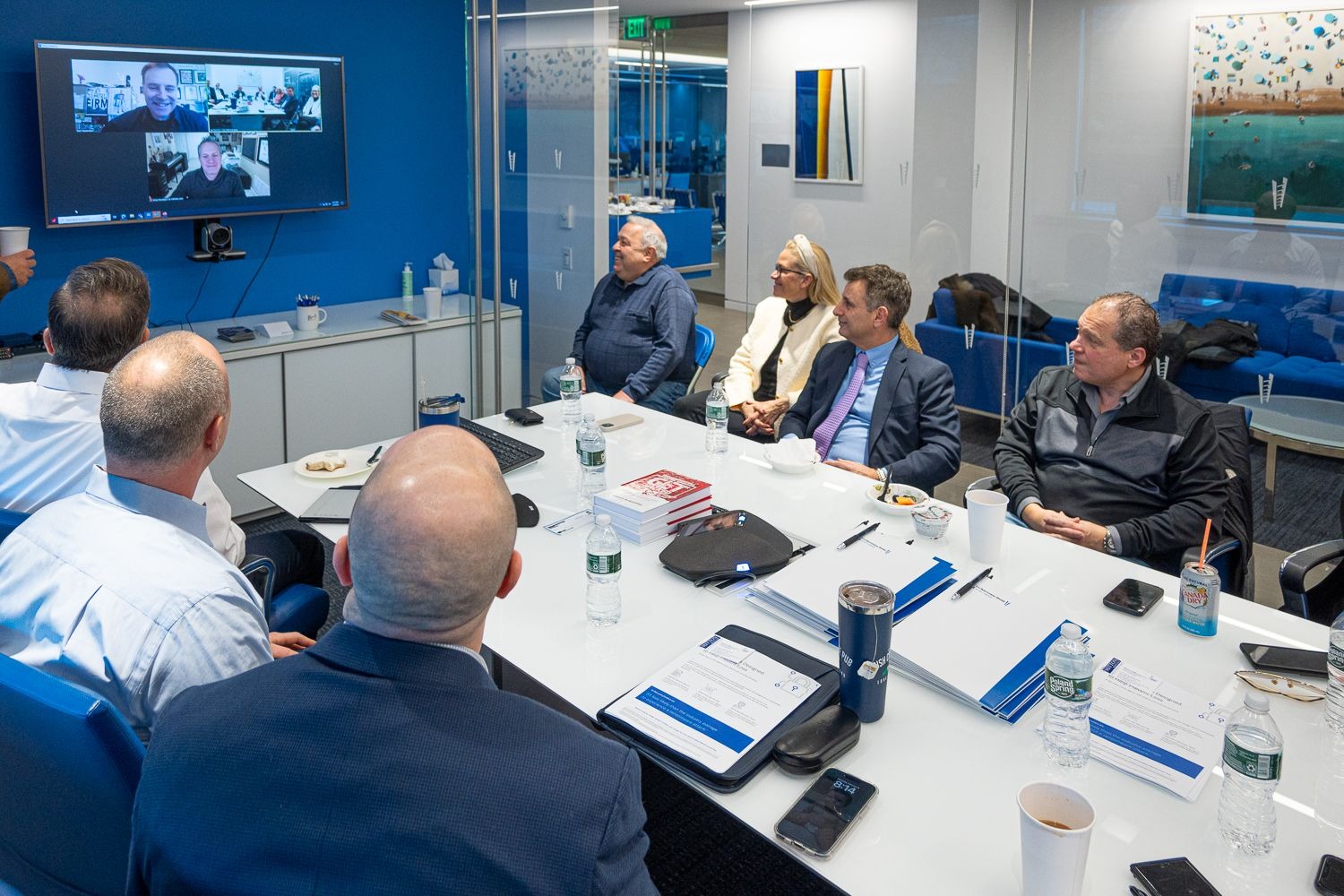
Interactive in person and remote executive roundtable featuring Steven Giacoppo and his published cybersecurity book on protecting modern businesses.
Real 5.0 star Google reviews from business owners working with Steven Giacoppo and the MJN Technology Services team on AI workflow automation, training, and fully managed IT.
"Steven and the Team at MJN have been killer to work with. Super quick response time and the set up was quick and unintrusive to my workflow. BONUS: they got a ton of my integrations working with AI and even spent time training me on the use so I could be more efficient in my business! Thanks Guys! If your IT team isn't up to snuff, I highly recommend you give MJN a shout!"
"I have had the opportunity to work with Steven and MJN Technology to help make my process smoother. Through AI and using the technology I currently have but did not know how to maximize usage he enhanced what I have been doing. This has improved my customer service while giving me back more time."
"I highly recommend, and without hesitation, Steve and MJN Technology for all of your IT needs and any advice regarding AI and technology. Great company, great communication and great service. Do not hesitate to hire!"